 United States/English



 Baseus Store
 Amazon
 Walmart

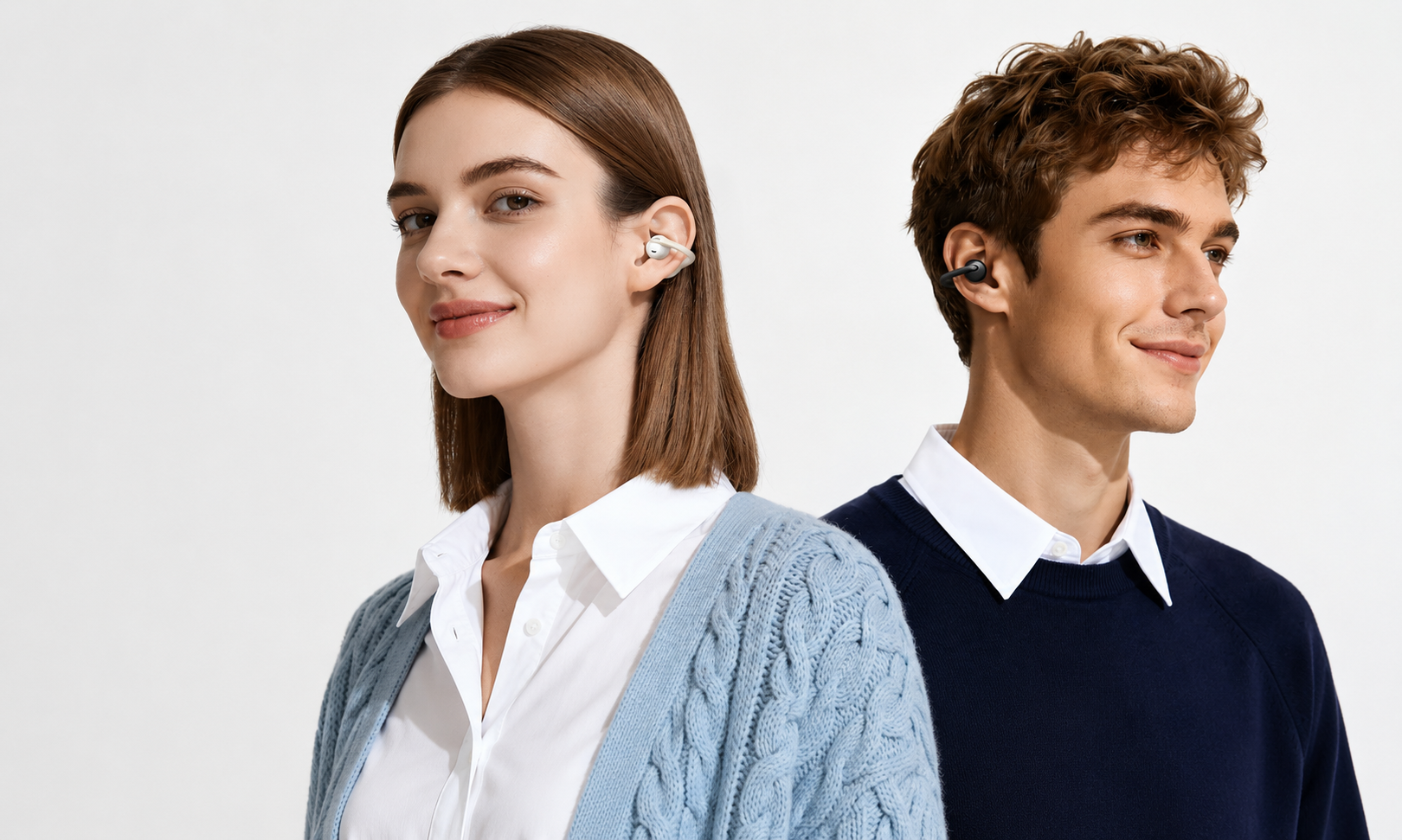
When it comes to wireless wearables, the open-ear earbud has definitely risen in the ranks. As a chic, practical, and comfortable audio solution, open-ear earbuds have become a staple for most people on their journeys, while running errands, or simply while lounging around at home. The appeal of the open-ear earbud is in its convenient design that delivers high-quality audio without being inserted deeply into the ear canal.

This allows you to avoid traffic, hear conversations, and remain aware of the world around you, adding a layer of safety and practicality in your dynamic lifestyle that you don’t find with traditional earphones. However, as wireless devices, open-ear earbuds are still prone to the common pairing issues we all dread. A reliable Bluetooth connection is as important as sound quality, battery life, and comfort when it comes to earbuds. Without a strong connection, you’re simply left standing there in silent frustration. So, if you've ever wondered, "Why won't my open-ear earbuds connect?" we're here to help you out. Fortunately, pairing issues can be fixed easily enough most of the time, so let’s try to understand how.
Why Are My Open-Ear Earbuds Not Connecting?
We’ve all been there: You're ready to hit the road on your daily run, and suddenly you get hit with the “open-ear earbuds not connecting to phone." Before we get into the quick fixes, let’s try to understand why pairing issues happen in the first place. Common earbud pairing failure reasons include:
- Device Compatibility: Bluetooth compatibility is not universal, which means that some earbuds may not be able to connect to certain devices. It’s important to always make sure that your device is compatible with the earbuds you choose.
- Battery Life: If your earbuds are not charged enough, your connection may be affected. Ensure that your earbuds are fully charged to avoid this.
- Firmware Issues: Using outdated firmware can result in bad connectivity and pairing. Always keep your earbuds updated with the latest firmware from the manufacturer to ensure the best quality output.
- Signal Interference: Bluetooth uses radio waves to connect, and if there are too many devices in the area or if other devices are acting as obstructions, your signal may be disrupted. Try moving your earbuds closer to your device and away from other wireless devices to fix this problem.
- Previously Connected Devices: Most wireless earbuds will automatically reconnect to the last connected device when switched on, which can result in your current pairing not working. Always choose the correct pairing device or reset the earbuds to correct your pairing choice.
Understanding the root cause of your pairing issues is the first step toward solving the problem. Now, let’s look at some solutions to Bluetooth pairing problems for open-ear earbuds.
Best Way to Fix Bluetooth Earbuds Connection Issues
Now, it might be tempting to simply resort to violence and start hitting or shaking the earbuds to make them work, but we’ve compiled an easier and more dignified list of ways to fix your open-ear earbud pairing issues. Simply use one of these four methods to fix your earbud pairing problems.
Method 1: Restart Your Bluetooth Connection
The easiest way to reconfigure a faulty pairing is to simply restart your Bluetooth connection completely. Many people jump straight to device or earbud issues and overlook this solution.
How to Restart My Bluetooth:
- Turn Bluetooth off on your device.
- Wait at least 10 to 15 seconds.
- Turn the Bluetooth back on.
- Place your open-ear earbuds in pairing mode; for Baseus earbuds, they automatically enter pairing mode once switched on.
- Select your earbuds from the available devices.
- Your connection should be complete.
Why Does This Work?
Bluetooth glitches are one of the most common reasons for wireless earbud connection issues. Restarting your Bluetooth connection refreshes the connection and allows the devices to find one another without any disruptions.
Method 2: Forget and Re-Pair Your Open-Ear Earbuds
If the Bluetooth connection is not the issue, it may be the pairing itself. To remedy this, you can try to forget your earbuds, then re-pair them to your device.
How to Re-Pair Earbuds:
- Open Settings.
- Select Bluetooth.
- Find your earbuds in the paired devices.
- Tap Forget Device to remove it from the paired list.
After removing the device:
- Activate pairing mode on the earbuds.
- Scan for nearby Bluetooth devices.
- Select your earbuds.
- Complete the pairing process.
For Baseus Earbuds:
Entering Pairing Mode Manually: With the case lid open, press and hold the case button for about 3 seconds. The light will then flash white to indicate the earbuds being in pairing mode. Once connected, the earbuds will automatically reconnect to the last device they connected to when switched on. Please note that this process may be different for certain Baseus earbuds; always consult the relevant user guide beforehand.
Why Does This Work?
A corrupted Bluetooth profile is one of the most common causes of Bluetooth earbuds not showing up in the device list or earbuds appearing connected but failing to play audio. Creating a fresh Bluetooth connection removes outdated settings and fixes any residual Bluetooth issues.
Method 3: Reset Your Open-Ear Earbuds
Now, whether your open-ear earbuds won't pair with iPhone devices or your open-ear earbuds won't connect to Android phones is not really relevant most times if the issue is with the earbuds themselves. To remedy any earbud issues, we recommend simply resetting your open-ear earbuds to solve any stubborn connectivity issues.
How to Reset Open-Ear Earbuds:
- Place the earbuds in the charging case.
- Ensure they have sufficient battery power.
- Press and hold the reset button or multifunction button.
- Wait until the LED indicator flashes.
- Release the button and restart the earbuds.
For Baseus Earbuds:
Place both earbuds in the charging case and keep the case open. Press and hold the charging case button, or the L and R buttons on the earbuds, for around 8 seconds. The light will flash quickly 3 times, indicating a reset. This will also restore custom settings in the Baseus app. Once again, please note that this process may be different for certain Baseus earbuds; always consult the relevant user guide beforehand.
Why Does This Work?
A reset will automatically clear out any pairing conflicts, software bugs, or synchronization issues, restoring the communication between the two earbuds as well.
Method 4: Update Your Firmware
Firmware updates are essential for every wireless device, providing security patches, bug fixes, and necessary improvements to the device. Most people procrastinate when it comes to updates, which can affect your pairing capacity, stability, and connection.
How to Update Your Earbud Firmware:
Look at your earbud support menu on the connected app. While most updates are automatic, you can check your update status to be sure. Baseus firmware is automatically updated, but you can view your updates on the Baseus app for more information and clarity.
Why Does This Work?
Regularly updating your firmware helps to upgrade your devices with the latest improvements, security, and protocols. Keeping your smartphone updated and regularly restarting it can also help with any software issues or obstacles.
For detailed instructions on how to fix pairing issues with your Baseus earbuds of choice, please go to the Baseus Support Center to download the relevant user guide, or contact our friendly support team for more information.
Improving Your Open-Ear Earbud Connection
Open-ear earbuds are a great audio solution for those looking for practical, safe, and quality sound. However, connectivity issues can be a tedious obstacle when dealing with wireless devices. We’ve already covered the main Bluetooth pairing solutions for most earbuds, but here are some additional steps you can take to ensure a stable and strong connection:
Charge Your Earbuds
A low battery can affect the connection and pairing of your earbuds. To remedy this, always ensure that:
- Your earbuds are fully charged.
- The charging case is fully charged.
- Your charging contacts on the earbuds are clean.
- Your smartphone has adequate battery life.
Improve Your Bluetooth Signal
Bluetooth often has to share its bandwidth with Wi-Fi routers and other wireless devices. To improve your Bluetooth connection strength:
- Move away from areas with many wireless devices.
- Disable Bluetooth on any nearby devices.
- Reduce any Wi-Fi congestion when possible.
- Switch to a different Wi-Fi frequency for your smartphone; Bluetooth often operates exclusively in the 2.4 GHz frequency band.
Test the Earbuds with Other Devices
This will help to determine if the connection issue is with your earbuds or your device. If a new device still won’t detect the earbuds after a restart, then the issue might be with the earbuds themselves.
Disconnect Previously Paired Devices
Your earbuds may automatically reconnect to another device. If your open-ear earbuds won't connect to your phone, ensure they're not connected to a laptop, tablet, or smartwatch nearby. Alternatively, invest in earbuds that allow multipoint connectivity for more than one device, like Baseus earbuds.
To ensure superior connectivity and audio resilience, it would be wise to invest in a reliable brand of open-ear earbuds as well. Baseus offers consistent, efficient, and innovative sound solutions that will seamlessly adapt to your dynamic lifestyle.
The Baseus Eli 2i Fit Open Ear True Wireless Earbuds are a strong example of what open-ear earbuds are meant to do. These sleek and lightweight earbuds ensure effortless comfort, adept situational awareness, a long-lasting battery life, and practical daily use.

They're also incredibly ergonomic with an 8.8g feather-light design, making them easy to wear throughout the day. With a 36-hour battery life, IPX5 water resistance, and anti-sound leakage technology, these open-ear earbuds are well-equipped for quality audio and practicality that you can rely on.
Conclusion
Whether you're using your open-ear earbuds for work, exercise, or daily entertainment, a reliable Bluetooth connection is essential. If you find yourself struggling with your earbud pairing, try to run through the steps mentioned above: reconnecting, re-pairing, resetting, and updating where necessary. Ultimately, we hope that this guide ensures that you have the peak audio experience that everyone deserves.
FAQ
Why are my Bluetooth earbuds not pairing?
The most common pairing issues include low battery, Bluetooth pairing errors, outdated firmware, or the earbuds being connected to another device. Try restarting Bluetooth and re-pairing the earbuds.
How do I fix Bluetooth pairing issues on open-ear earbuds?
To fix a faulty open-ear Bluetooth connection, try these simple steps before seeking support from the manufacturer: restart your Bluetooth connection, forget and re-pair your device, reset the earbuds, update firmware, and ensure the earbuds have sufficient battery power.
How do I reset my open-ear earbuds?
Most open-ear earbuds can be reset by placing them in the charging case and holding the case button for several seconds until the LED indicator flashes. A reset will delete all Bluetooth connections and restore factory settings.
What should I do if only one earbud connects?
If only one earbud connects, place both earbuds back into the charging case, perform a reset, and pair them again. This often resolves synchronization issues between the left and right earbuds.