 United States/English



 Baseus Store
 Amazon
 Walmart

Anyone just buy a new power bank, yet to discover its charging speed feels like it’s stuck in the Stone Age? Unless you're “lucky” enough to have gotten your hands on some vintage equipment, slow charging speeds that drive you crazy are usually caused by a few common reasons. This article will guide you to identify and resolve issues, without requiring you to be an electrical expert or to battle with your OG device.
What is MagSafe?
Before we start troubleshooting, let’s first take a look at what MagSafe is. Well, it is a charging technology designed by Apple from iPhone 12. Like what was sung in《Despacito》, "tú eres el imán y yo soy el metal" (you are the magnet and I am the metal), Magsafe is a magnetic attachment device, it usually means easy to charge with this technology. However, people sometimes find that the charging speed is also like the song title, Despacito (Slowly). From phone case limitations and inappropriate adsorption location to device settings or even battery health, below a few possible explanations worth checking before you give up on it.
Why MagSafe Charging Slows Down
Wrong Phone Case
The first factor that I would like to recommend you to check is not the power bank itseft, but your phone case. A thick or non-MagSafe case, especially those older or complex designs, can interfere with the magnetic connection.
Wrong Location
Alignment is equally critical. Just as you strive for alignment with your colleagues at work, proper alignment between your phone and power bank ensures greater efficiency, that is to say, charging faster. If your MagSafe power bank connection isn’t circle up, short line down, then your device may fall back to standard wireless charging speeds or even stop charging instead of optimizing output.
High Temperature
Heat also plays a major role. Most batteries do not require sunbathing and may be a little bit annoying for multitasking. Playing games on your mobile phone while charging under the scorching sun isn't a good idea to trigger fast charging. In these cases, even the best MagSafe power bank will reduce power to protect battery health.
Product Limitations
Power banks' output matters too. Not all technical specifications are worth looking at. For example, the older 7.5W models often struggle with heat dissipation and stable delivery.
How to Fix Slow MagSafe Charging
If your MagSafe charging feels slower than expected, the issue is often less dramatic than it seems. Now, follow these steps:
Step 1: Remove your phone case and test again
Start with the most common culprit: your case. Non-MagSafe or thicker protective cases can interfere with the magnetic connection. Remove the case and test again. If charging improves, the cause is clear.
Step 2: Reduce heat and limit device usage
Heat is one of the primary reasons MagSafe charging slows down. If you’re using your phone while charging, such as listening to “Despacito” on repeat or getting lost in the mobile game “Call of Duty”, it will definitely generate additional heat and the system responds accordingly. Your iPhone will automatically reduce charging speed to protect internal components. To improve efficiency, I suggest you charge the iPhone in standby mode. Also, avoid hot environments, for instance, inside a car or under direct sunlight. A cooler device, simply put, charges faster and more consistently.
Step 3: Check iPhone system settings
Apple includes built-in battery protection features, one key feature is Optimized Battery Charging. It learns your daily routine and deliberately slows charging at certain times. Go to Settings > Battery > Battery Health and temporarily disable it. But kindly take notes that disabling it long term isn’t generally recommended.
Step 4: Evaluate your power bank and charging standard
Not all MagSafe or wireless chargers perform equally. Check whether your power bank supports Qi2 certification and is fully compatible with your iPhone model. Qi2-certified devices are designed for improved magnetic alignment and more efficient power delivery.

How to Avoid the Problem
Clean and Tidy
Keep your device and power bank clean as dust can weaken magnetic contact. Always pair compatible accessories.
Choose Right Power Bank
More importantly, choose a well-designed MagSafe power bank. True performance depends not just on output wattage, but on thermal control and magnetic alignment.
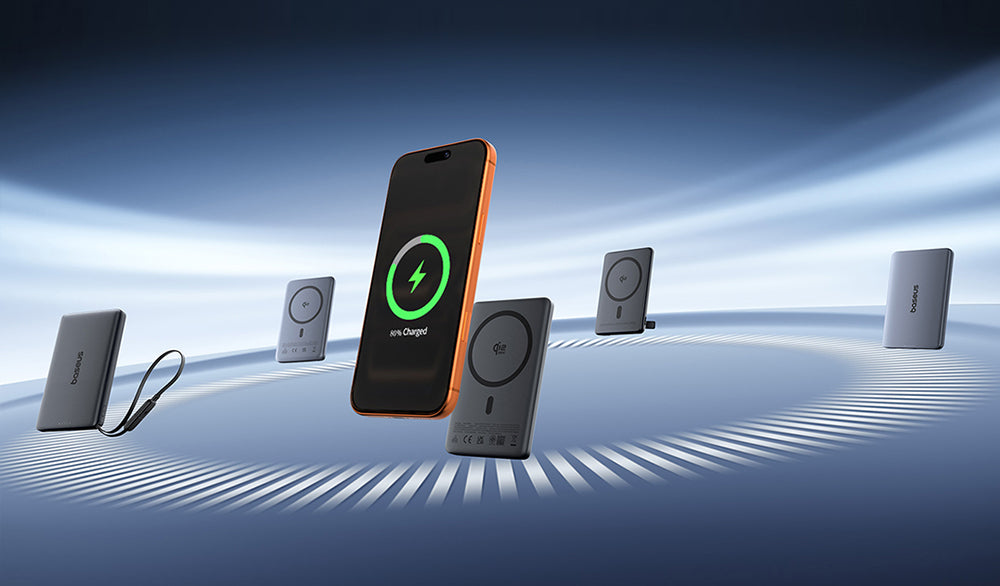
For example, the Baseus PicoGo AM52 delivers stable Qi2.2 25W output with advanced temperature control and precise magnetic positioning. Compared to standard portable chargers or entry-level Qi2 power banks, it maintains consistent fast charging without overheating or throttling. According to Baseus Lab data, an iPhone 17 Pro Max can be charged to 65% battery in 30 minutes with PicoGo AM52 wired charging, and it reaches 50% in 34 minutes without the cable, saving around 30 minutes compared to conventional wireless charging solutions.

About Baseus PicoGo AM52
- Qi2.2 Certified Ultra-Fast 25W Wireless Charging: *Note: Qi2.2 is only compatible with the iPhone 16–17 series, with the exception of the iPhone 16e.
- 45W Built-in Cable for Two-Way Fast Charging
- Advanced Heat Management for Safe Charging
- 10000mAh High Capacity & Flight-Friendly
- Stronger Magnetic Alignment and Premium Design
Conclusion
If slow MagSafe charging speeds have been a constant source of frustration, there’s no need to assume something is wrong with your device. In most cases, a few simple troubleshooting steps can quickly identify the cause. From checking your phone case and improving magnetic alignment to managing heat and reviewing system settings, small adjustments can make a noticeable difference. And if needed, upgrade your setup to Baseus PicoGo AM52.
FAQ
Q1: Why do some power banks charge rapidly at first but then suddenly slow down after ten minutes or so?
This is a normal classic case of "thermal throttling." Therefore, to make your charging process cool and safe, the heat dissipation capability of the power bank is a crucial factor to consider during purchasing.
Q2: Why is my newly purchased MagSafe power bank charging so slowly?
1. The phone case is incompatible; 2. The phone is running hot or under a heavy load (such as using navigation); 3. The "Optimized Battery Charging" feature been turned on.
Q3: How can I avoid the trap of buying a MagSafe power bank that looks great on paper but delivers a poor user experience?
A product that truly offers a great user experience will usually highlight "Qi2 certification" and "low-temp" as key selling points, rather than displaying an eye-catching image of a model holding the product.