 United States/English



 Baseus Store
 Amazon
 Walmart

The dawn of wireless audio has changed the game forever. Today, you can easily listen to your favorite songs, stream movies, or make calls without getting caught in tangled cables. However, your wireless buds do rely on you to stay charged and ready to go when you are. Today, we’ll be looking at one of the most common issues with wireless devices: keeping the battery alive for longer. So, you can consider this your complete open-ear earbuds battery maintenance guide.
Now, most modern open-ear earbuds go the extra mile with features, offering remarkable sound engineering, comfortable cushions, and water-resistance. They also tend to offer impressive battery capacities to keep up with demanding lifestyles and extended use. However, over time, all batteries tend to degrade with wear and usage, which makes it difficult to keep a full battery for as long as you could when the earbuds were brand new. To get a better idea, let’s try to understand how wireless headphone batteries work.
Understanding Wireless Headphone Batteries
Most wireless open-ear earbuds use lithium-ion batteries. While these are designed to withstand hundreds of charging cycles, every charge and discharge gradually reduces their maximum capacity. This is a completely normal process and happens with most devices using these batteries. However, it doesn’t mean that they simply keel over and die, but they tend to slow down over time. With a depleting battery, you might notice:
- Shorter playback times
- Longer charging periods
- Reduced clarity during calls
- Faster battery drainage during high-volume listening
- Uneven battery drainage between the left and right earbuds
Now, if you’re wondering how long wireless earbuds last, the answer generally depends on your usage and habits. Most earbuds typically stay usable for around two to four years, but that depends entirely on how often you use them, how you charge them, and how you care for them. So, battery depletion is normal, but could you also be contributing to a degrading battery?
Why Do Wireless Earbud Batteries Drain Quickly?
A lot of your battery health can simply boil down to your specific habits and usage patterns. Here are some of the things that could be depleting your battery capacity without you even noticing:
- Improper Charging: While you might think that refueling your earbuds can only be a good thing, there are ways that you can actually do more damage than good. Constantly charging your earbuds or charging them for too long can rapidly deplete your battery capacity.
- Poor Earbud Care: Keeping your earbuds in hot environments, improper storage, or unclean contacts can affect your battery and charging capacity.
- Advanced Features: Most modern earbuds come with a lot of fancy fittings and features, which make them flexible and adept to a dynamic lifestyle. However, without proper management, these features can also drain your battery a lot faster.
- Low-Quality Equipment: Using the wrong type of charging cables or equipment can lead to battery damage and inadequate charging.
At the end of the day, there are several reasons why your wireless headphones could be draining too fast. However, there are always ways you can elevate your battery maintenance and lifespan. Let’s look at some ways you can improve the wireless headphone battery lifespan.
How to Make Wireless Headphones Last Longer
Your lifestyle, habits, and routines directly affect the battery percentage of your wireless earbuds, but you can also find ways to extend your battery life and give your earbuds the endurance and care they need to last you a very long time. Here are some of the best practices to improve your wireless earbud battery capacity:
Avoid Letting the Battery Reach 0%
Unlike older batteries, lithium-ion batteries perform best when kept between 20 and 80% battery power, which means that allowing your wireless earbuds to reach 0% can actually damage the battery.
One of the best practices for charging wireless open-ear headphones is to only top up when necessary. Try to avoid a full drain and plug the earbuds in once the battery drops below 20 to 30%.
Don't Keep Your Earbuds Constantly at 100%
Now, on the flipside, it’s also not healthy to always keep your wireless headphones at 100%. While it may seem logical to keep your headphones fully charged at all times, maintaining a 100% charge for extended periods can actually accelerate battery wear.
Many people simply leave their earbuds to charge overnight. While most earbuds include protective features, this habit can still affect battery longevity. Disconnect the charger once your earbuds are fully charged or at least at a healthy 80%.
Protect Your Headphones from Heat
Heat is one of the biggest enemies of lithium-ion batteries, which is why one of the best battery care tips for wireless open-ear earbuds is to store them in cool and dry conditions. Avoid leaving your earbuds in direct sunlight, inside hot vehicles, or near any heat source.
Always Store Earbuds Correctly
Now, when it comes to how to store wireless headphones for long-term battery health, the best solution is always inside the original casing, and in a cool and dry place. Your charging case protects your earbuds from wear, but it also prevents them from unnecessary battery drain and helps maintain consistent charging. Always recharge your earbuds every few months if they’re sitting unused in the case as well.
Keep Your Earbuds Clean
Keeping your electronics clean is half of what keeps them living longer. For your open-ear earbuds, you should gently clean your charging contacts, earbuds, and case with a dry cotton bud or microfiber cloth to get rid of any dust, sweat, or debris that might hinder proper charging. Avoid using any liquids, harsh chemicals, or sharp objects to clean the earbuds.
Lower the Volume Sometimes
While we all enjoy a loud listening session, consistently loud volumes can affect your battery capacity. Higher volumes require more power to drive speakers and deliver stronger audio, particularly when emphasizing bass performance. One of the key ways of maximizing battery life on true wireless open earbuds is to use them at an appropriate volume. Listening at a moderate volume extends your battery runtime, protects your hearing, and ensures consistent sound quality.
Manage Your Features Wisely
Most advanced open-ear earbuds come with a variety of specs that enhance sound, comfort, and clarity. Features like Active Noise Cancelling (ANC), voice assistants, and multi-point connectivity can drain your battery faster than you’d expect. Optimize your settings by disabling features you don’t need and lowering settings where possible.
Update Wireless Earbud Firmware
Most problems with tech boil down to neglected updates. For your wireless earbuds, this could also lead to poor battery optimization. Firmware updates often improve Bluetooth stability, charging efficiency, and power management. While most modern earbuds automatically update firmware, you can still check on your particular earbuds if your updates are in order.
Choose Quality Products from the Start
Battery longevity begins with product quality. Making the right choice from the beginning can save you a lot of time and hassle. The best wireless open-ear headphones rely on superior sound quality, focusing on call clarity, bass depth, and directional audio. For longevity, you should always look for a long-lasting battery, fast charging support, and certified, reliable builds. This also applies to the charging cables and accessories you use for your earbuds.
Now that we know how to keep your earbuds from dying too soon, let’s look at the best choice for long-lasting open-ear headphones in 2026.
Choosing Long-Lasting Wireless Earbuds
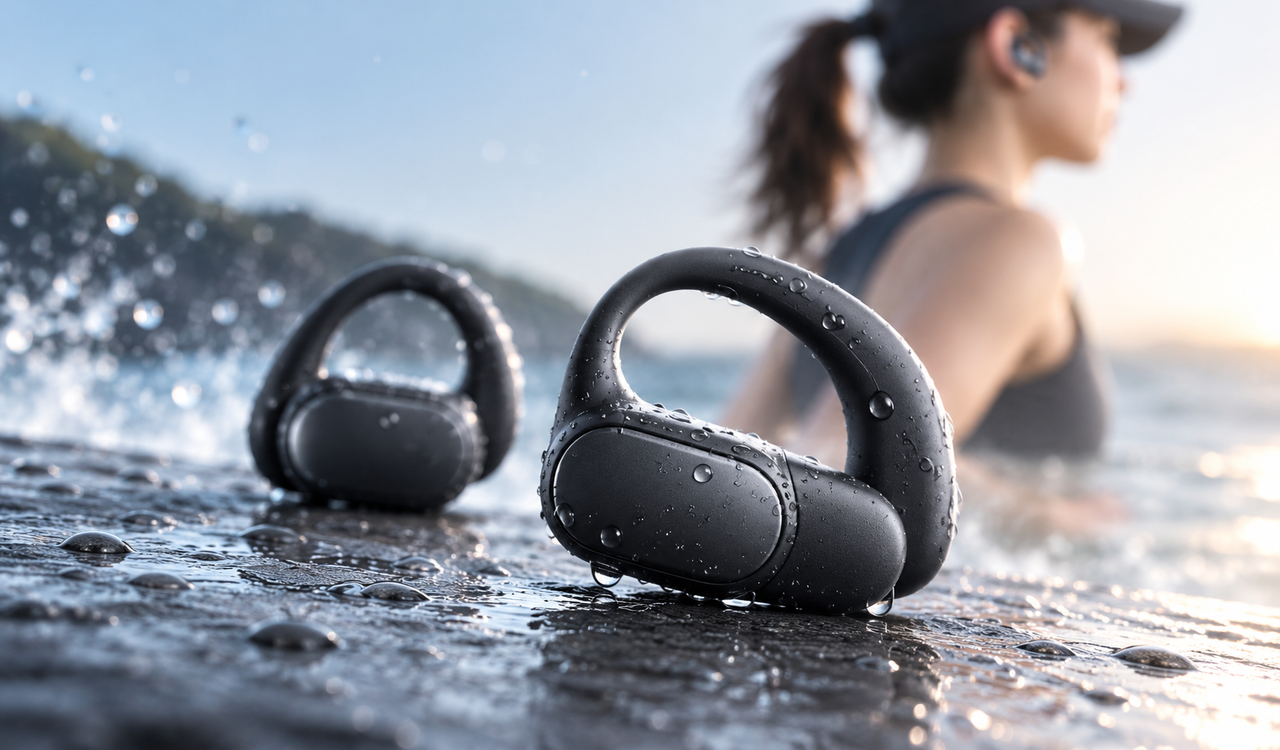
If you’re looking for open-ear earbuds that prioritize seamless comfort, high-quality audio, and a long-lasting battery, look no further than the Baseus Bowie MC2 earbuds. Designed with SuperBass 3.0 audio clarity, CloudComfort 2.0 wrap-around cushions, and a 55-hour battery life, the MC2 open-ear earbuds go the extra mile with you.

Armed with fast charging technology, the MC2 earbuds are ready to go, with a 10-minute charge giving you up to 3 hours of playtime. Even with the default SuperBass 3.0 enabled, you can enjoy up to 55 hours of playtime with the charging case and 11.5 hours per charge. Without the SuperBass 3.0 enabled, you can get up to 60 hours with the case and 13 hours of playtime per charge.
At Baseus, we value your time and energy, which is why our products are built to last longer and adapt to your busy lifestyle without any battery concerns. Apart from a large battery capacity, you’re also free to optimize your settings and features in the Baseus app to protect and prolong your battery capacity at any time.
Conclusion
Keeping a healthy battery for your earbuds is not rocket science. A few simple practices will easily improve your battery capacity and elevate your listening experience with consistency. Keeping a good charging routine, avoiding extreme temperatures, and storing your earbuds properly can significantly extend their lifespan, giving you the flexibility and peace of mind to go about your day without worrying about the next battery drain.
FAQ
Q1: How long do wireless open-ear headphones typically last?
Around 2 to 4 years with the proper care, storage, and charging in place. Specific battery conditions will depend on your usage habits, charging practices, and environmental conditions.
Q2: How do I extend the battery life of my wireless headphones?
Maintain good charging habits, keep your battery between 20 and 80% for optimal health, keep your earbuds away from heat, limit power-hungry features, and ensure proper storage.
Q3: What drains my battery so quickly?
Constantly high volumes, keeping advanced features enabled unnecessarily, frequent full charging cycles, and poor storage and cleaning habits.
Q4: Which wireless open-ear earbuds have the longest battery life?
Wireless earbuds that feature more than 40 hours of total playback time and have fast charging support are the best for longevity and a lasting battery.